One Agora per project

Talk design with your agenton the architecture itself.

Every project gets its own Agora: talk the design through with your own coding agent on the project's architecture diagram, then pick up the very same session in the terminal.

uv tool install git+https://github.com/arvakme/agora

Then, inside any project: cd my-service && agora

Film · 40 s

Agora in forty seconds.

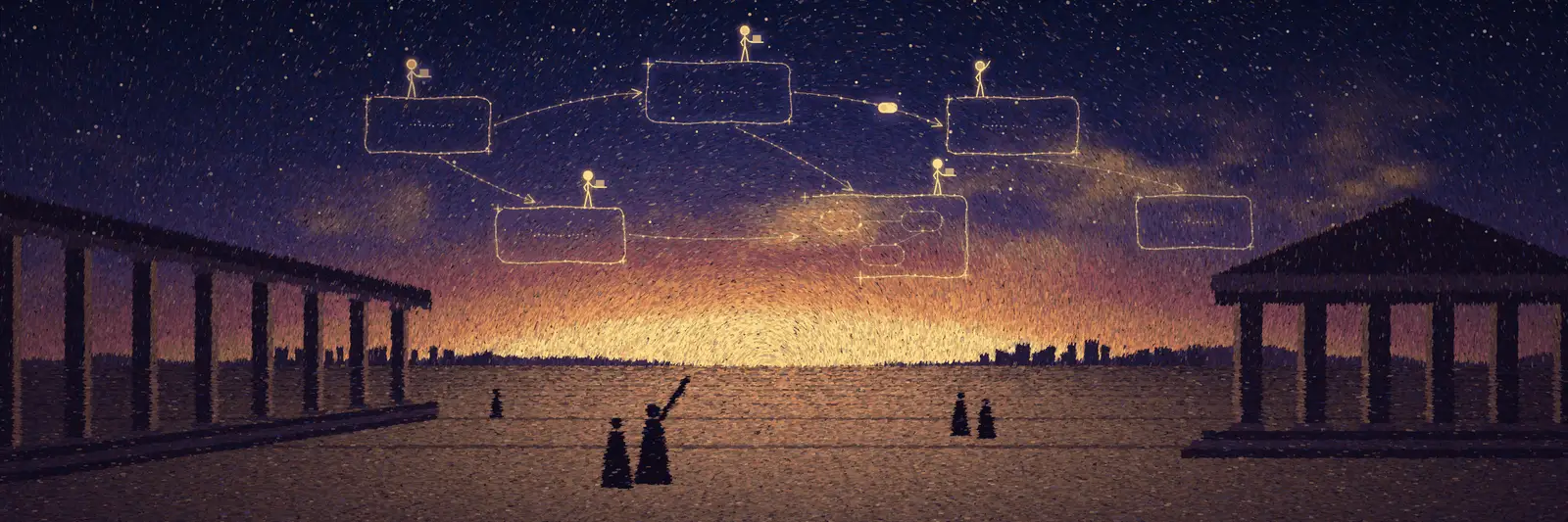
An agent draws the architecture station by station, its little figure walking from node to node. Zoom into a node and you are inside its sub-diagram.

How it works

It follows the session your CLI already writes.

You talk to your agent in the panel or in the terminal, and it keeps writing its own native session log. This project’s agora server follows that log and pushes every turn to the canvas in your browser.

01Your coding agentclaude · codex · pi · grok · cursor · devin
02This project’s agora server127.0.0.1 · <project>/.agora/
03The canvas in your browserexcalidraw · figures · sub-diagrams
  1. 01

    You talk, the agent works.

    In the panel or in the terminal. It keeps writing its own native session log, exactly as it would without Agora.

  2. 02

    The server follows the log.

    Every 0.4 s, this project’s agora server picks up the turns from both sides — the panel’s and the terminal’s.

  3. 03

    The canvas moves.

    Changes reach the page over HTTP + SSE. When the agent edits the diagram with agora canvas apply, the page checks schema, references and freshness, writes the result to .agora/, and every batch can be undone.

  • Nothing leaves your machine. The server only listens on 127.0.0.1, one port per project. Only when you share does a read-only guest entrance open through Cloudflare Tunnel.
  • No second copy of the conversation. Sessions are the CLI’s own. Agora reads the native log; models and billing stay with the CLI you already logged into.

Six session agents

  • Pi
  • Claude Code
  • Codex
  • Grok
  • Cursor
  • Devin

Each one gets the figure, the progress pointer, station-by-station drawing, panel messages and the same session in the terminal. Two differences come from the CLIs themselves: in -p mode Grok, Cursor and Devin take no input once a turn has started, and Pi and Devin have no native sub-agents.

Three agents running turn after turn. Turn counts and turn ids are illustrative; pending → in_flight → accepted → completed are the real states Agora records for each turn.

What you get

A canvas that knows who is working where.

Screenshots and recordings show Agora’s interface in Chinese.

01 · Per project

One Agora per project. The diagram travels with the code.

Run agora in a project and it sets up .agora/ right there, with its own local server. Canvases are plain .excalidraw files and comments are JSON with sorted keys, so they commit, clone and branch with your code — and the diffs stay readable.

Session records, runtime state and share records stay out of git by default. Deleted canvases and sessions sit in a trash for 30 days.
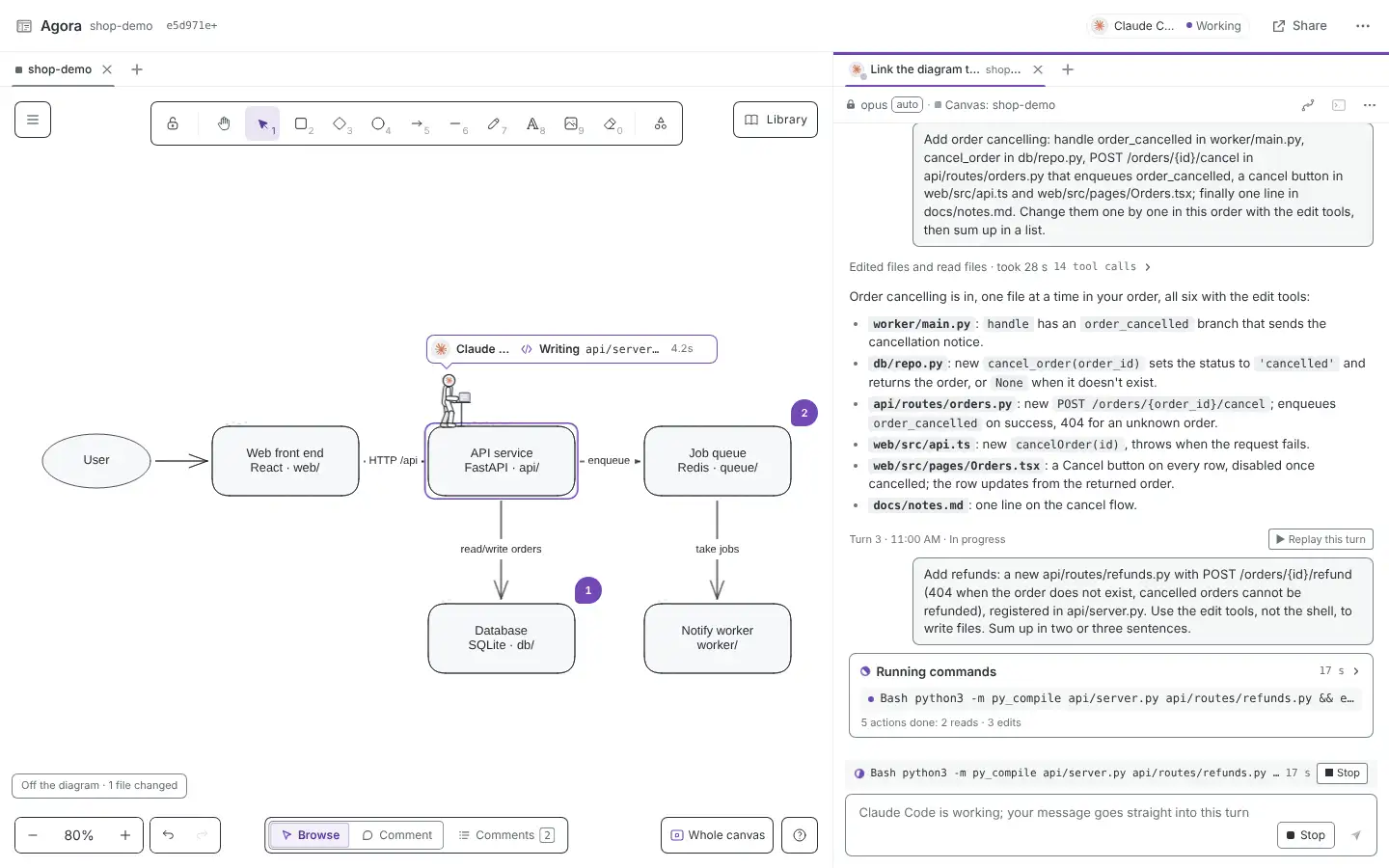
Canvas and session side by side: the architecture diagram with comment pins on the left, Claude Code’s avatar on the API node writing a file there; the live session on the right

02 · Station by station

Watch it draw, one station at a time.

When an agent changes the diagram, its little figure walks to each spot and the new elements fade in as it arrives — the diagram doesn’t pop into existence all at once, and you can follow what it is building.

03 · Sub-diagrams

Zoom into a node. Step inside.

Any node can hold a sub-diagram: overview › backend › order service. ⌘/Ctrl + scroll into a node and you land inside it; zoom out to climb back. Breadcrumbs and ⌘↑ work too.

04 · Progress pointers

See which part of the architecture the AI is changing.

Attach code paths (globs) to nodes — by hand, or let the agent map them from the directory layout. When the agent edits a file, its figure walks to the node that file belongs to: gliding along an arrow when the two nodes are connected, hopping across when they aren’t. Files that belong to no node are listed under the “off the diagram” chip, and edits made in the terminal move it too.

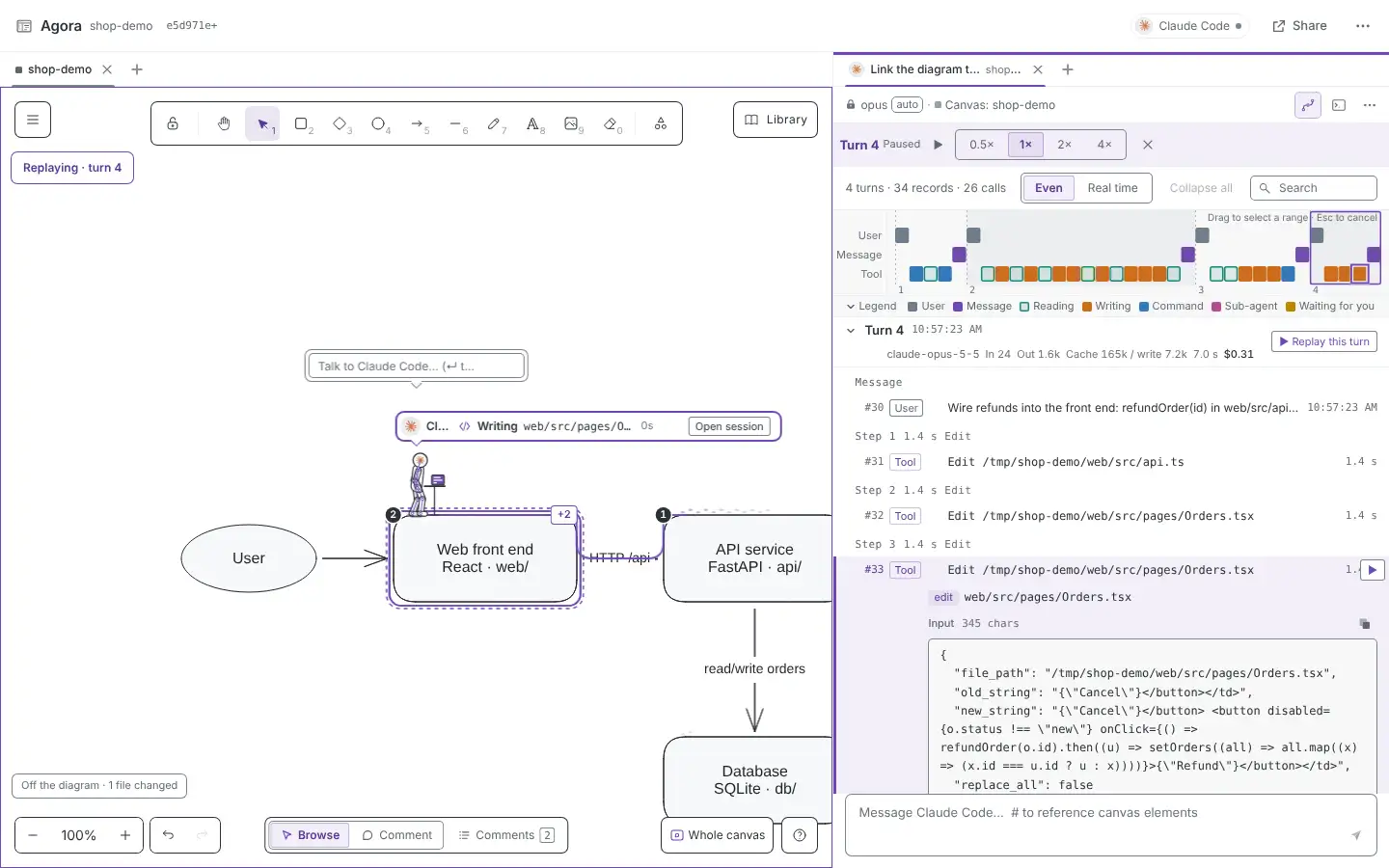
Replay a turn and the diagram shows the avatar’s route, numbered stops and +N files changed on each node.

Several sessions get one pointer each, and Agora flags a possible conflict when two agents touch the same file.

05 · Trajectory & replay

Every turn, every tool call — step by step.

Switch a session between Conversation and Trajectory. Each turn shows model, effort, input / output / cache tokens, time and cost on a timeline; every tool call expands to its full input, output, the files it touched and when it ran.

And the diagram itself can be replayed: from the first stroke to now, the figures walking to where they drew, with play, pause, speed and a scrubber.

Trajectory view with a timeline, per-turn usage and an expanded Edit call showing its full input
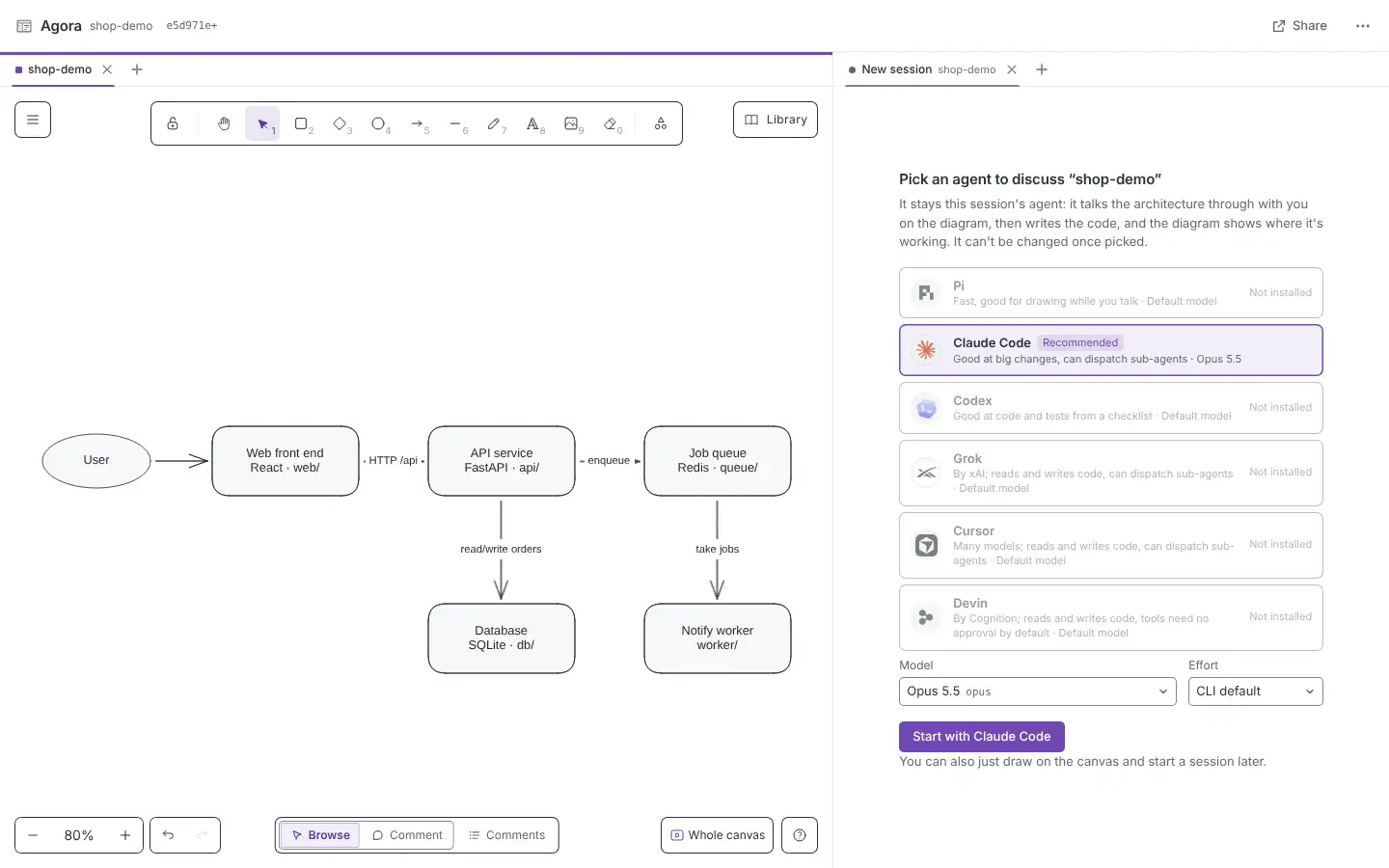
New session dialog: choose an agent, model and effort, which can't be changed afterwards

Your own agent, locked per session

Pick the agent, model and effort when a session starts; they stay fixed. Hand a canvas comment to the agent and its reply is posted back into the thread. The agora skill is installed for that agent automatically.

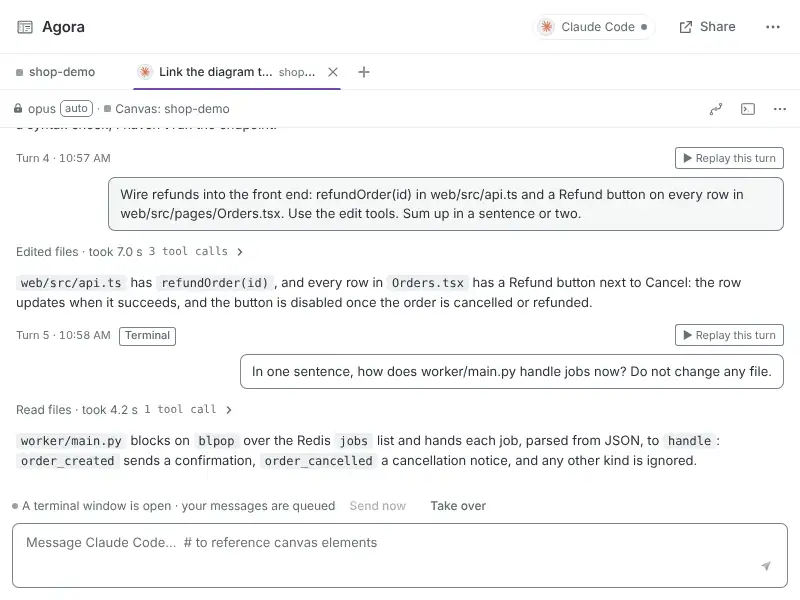
The session open in a terminal: the panel says the terminal window is open and queues your messages; that turn is tagged “terminal”

Back to the terminal in one click

“Open in terminal” resumes the very same native session (claude --resume, codex resume, pi --session-id) in a project-scoped tmux, in Ghostty, Kitty or Terminal.app. What happens in the terminal shows up in the panel, and panel messages queue until the terminal is free.

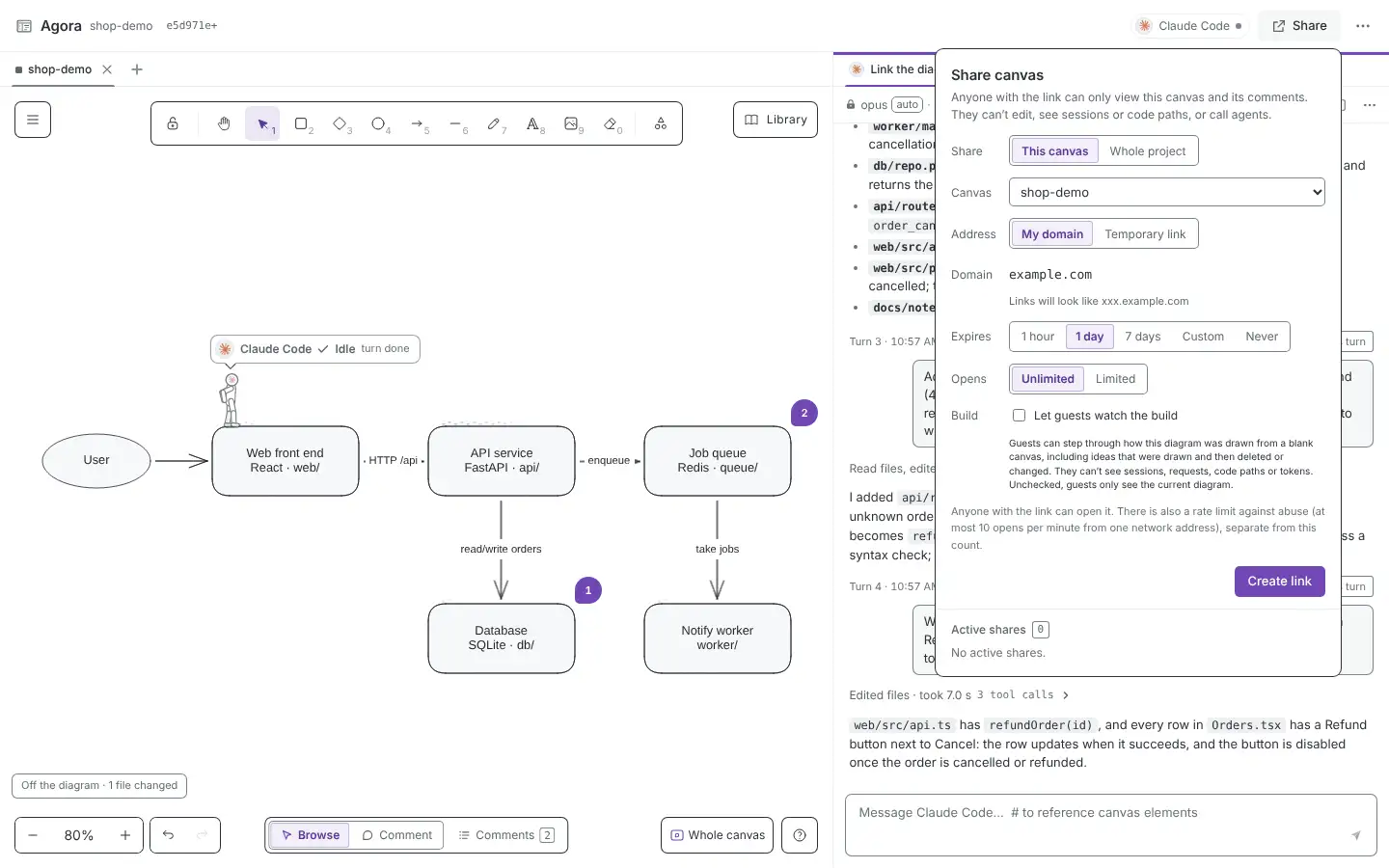
Share popover: choose a canvas and an expiry
Author: pick a canvas and how long
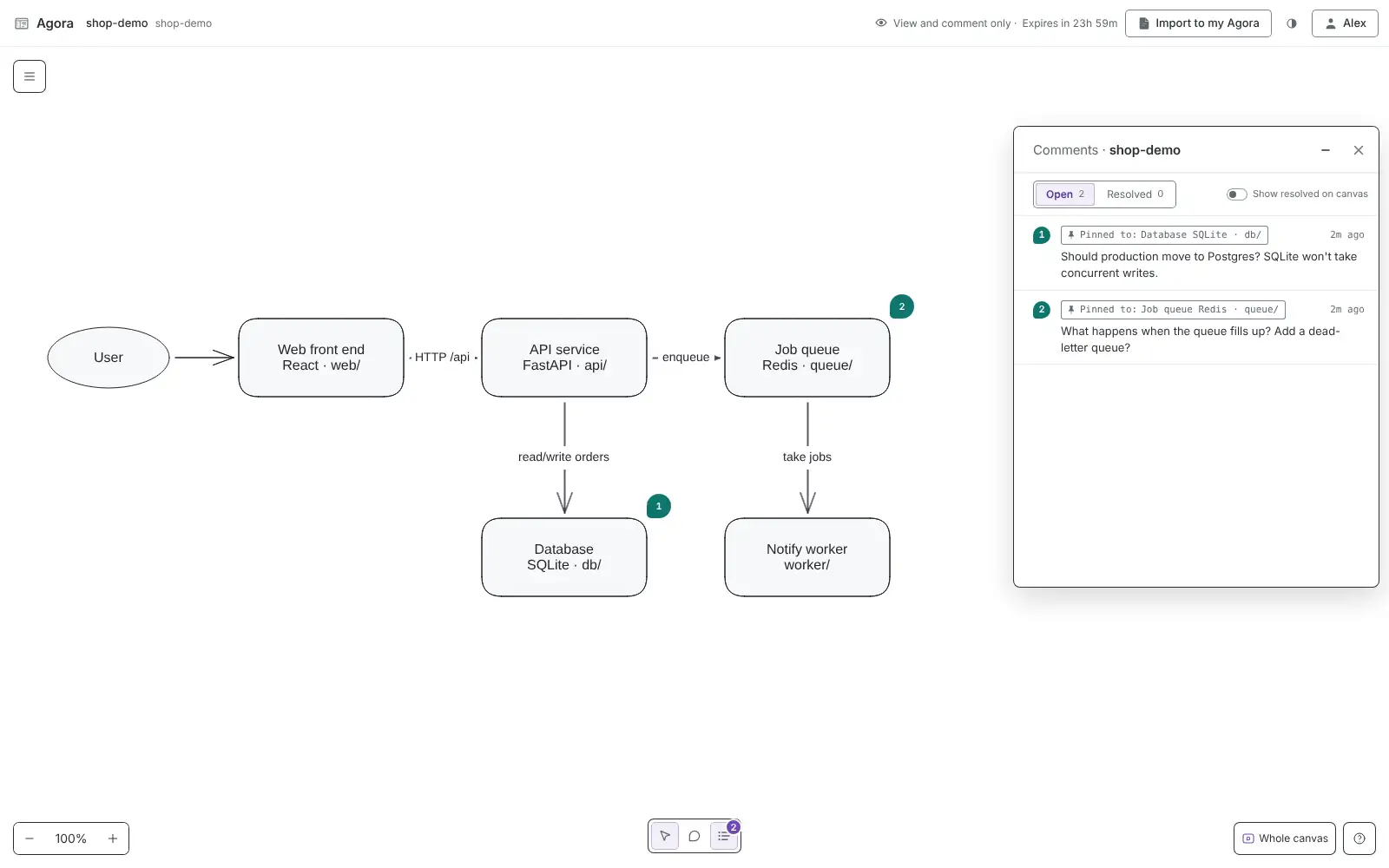
Guest page: read-only canvas with comments
Guest: read-only canvas, comments allowed

Get started

Install once. Open it in any project.

No need to keep the repository around. The install builds the web UI, so it needs Node and npm.

uv tool install git+https://github.com/arvakme/agora
cd ~/code/my-serviceagora# set up .agora/, start this project's server, open the browseragora status# address, port and pid if it's runningagora down# stop the server and this project's tmuxagora share create --for 1d# a read-only link for a day

You’ll need

  • uv (Python 3.12+; uv installs it if missing)
  • Node 22+ and npm, to build the front end
  • tmux, for “Open in terminal”
  • At least one logged-in agent CLI: pi, claude, codex, grok, cursor-agent or devin
  • Optional, for sharing: cf and your own Cloudflare domain

Good to know

  • Single editor — no real-time multi-user editing. Conflicts are caught by version checks.
  • Changing the diagram needs the page open; without it agora canvas apply exits with code 3.
  • Only tested on macOS. Without Ghostty, Kitty or Terminal.app the panel gives you a tmux attach command instead.
  • Not on PyPI yet. The package is agora-canvas; the command is agora.